
Health records and what's due
Record every vaccination, treatment and supplement in one place. Set a next due date and PLMS reminds you on the Health page when it's coming up.
Add a health record
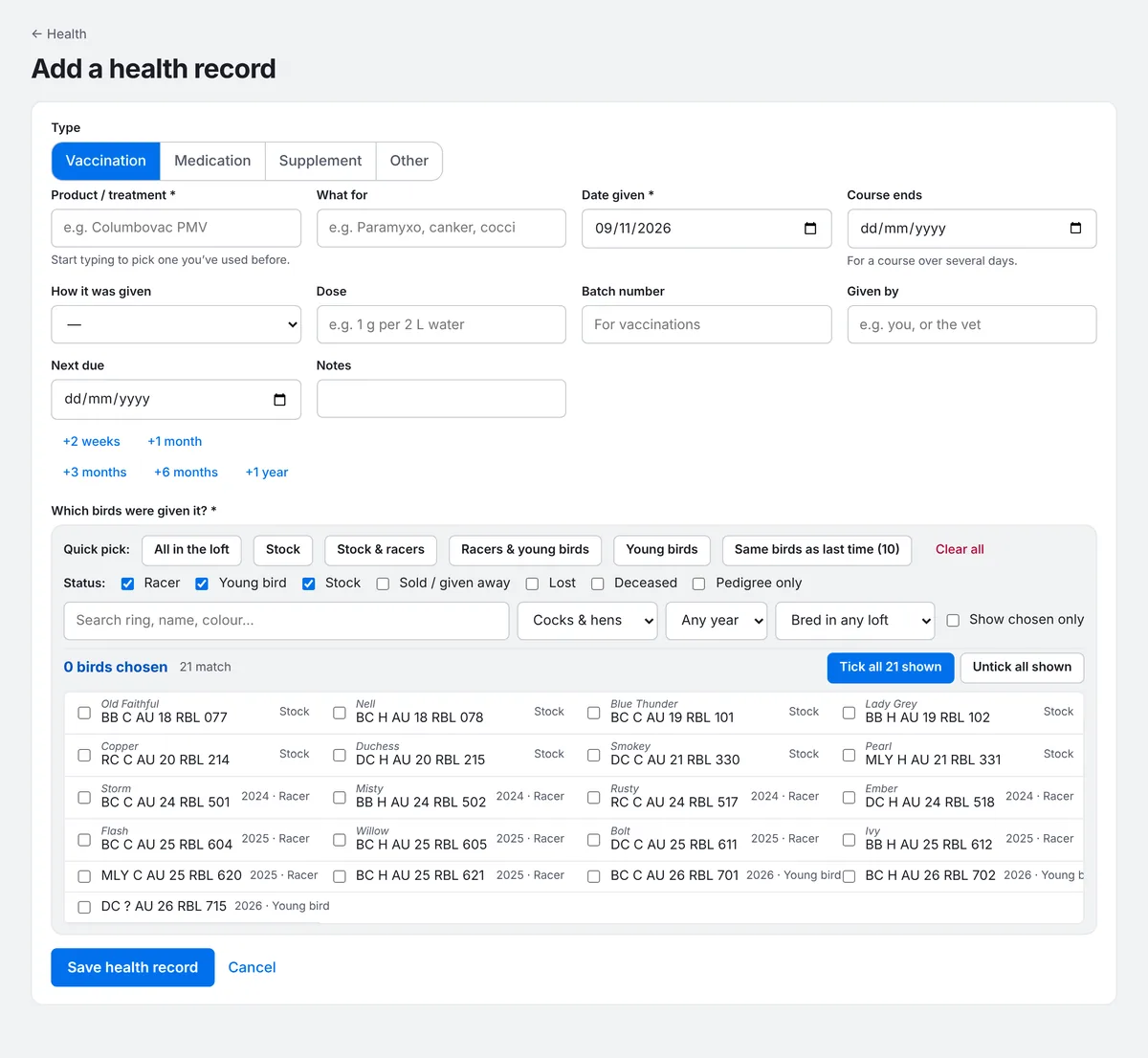
- Go to Health and press Add a health record.
- Choose the type: Vaccination, Medication, Supplement or Other.
- Type the Product / treatment. Products you've used before are suggested as you type.
- Add what it was for, the Date given, and the Course ends date for a course over several days.
- Choose How it was given (in the water, on the feed, into the beak, eye drops, injection, spray, bath or other), and the dose, batch number and who gave it if you like.
- Set a Next due date, or use the quick buttons: +2 weeks, +1 month, +3 months, +6 months or +1 year.
- Under Which birds were given it?, use a quick pick such as All in the loft or Stock & racers, or tick birds one by one.
- Press Save health record.
See what's due
The top of the Health page shows anything Due soon, based on the next due date of the latest record of each treatment. It only counts birds still in the loft, so lost, deceased, sold and pedigree-only birds are left out. Press Record it to record the next dose with the same details and birds filled in.
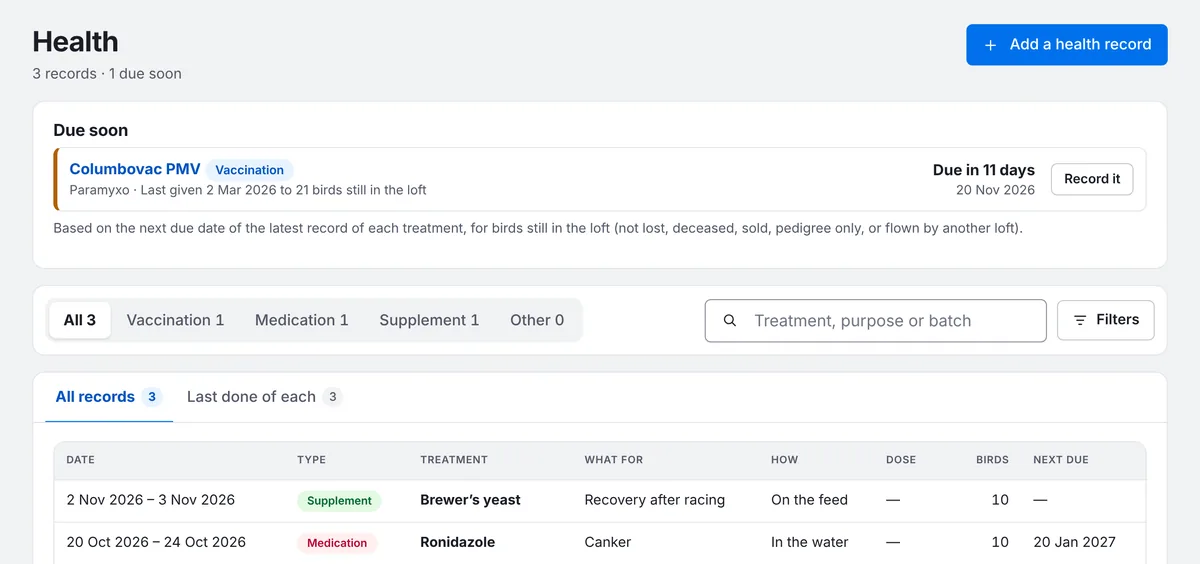
Switch between All records and Last done of each to see your full history or just the latest of each treatment.
One bird's health
Every bird's page has a Health tab with everything it has been given.
Vaccinated all stock and racers with Columbovac today, due again in a year
sets up the record, the birds and the next due date for you to check and save.