
Feeding: mixes, weekly plans and daily feeds
Feeding works in three parts: your mixes (what's in the bag or bucket), weekly plans (what each group gets on each day), and the feeds you actually give. Recording feeds lets you look back at what the race team had before each race.
1. Set up your mixes
- Go to Feeding and open the Mixes & ingredients tab.
- Press New mix.
- For your own blend, add a line for each ingredient with its percentage, adding up to 100%. Make up the rest sets the last line to whatever makes 100%. You can also use another mix as an ingredient.
- For a bought mix, choose Bought mix, add the brand, and copy the protein, fat and carbohydrate from the bag if you have them.
- Press Add mix.
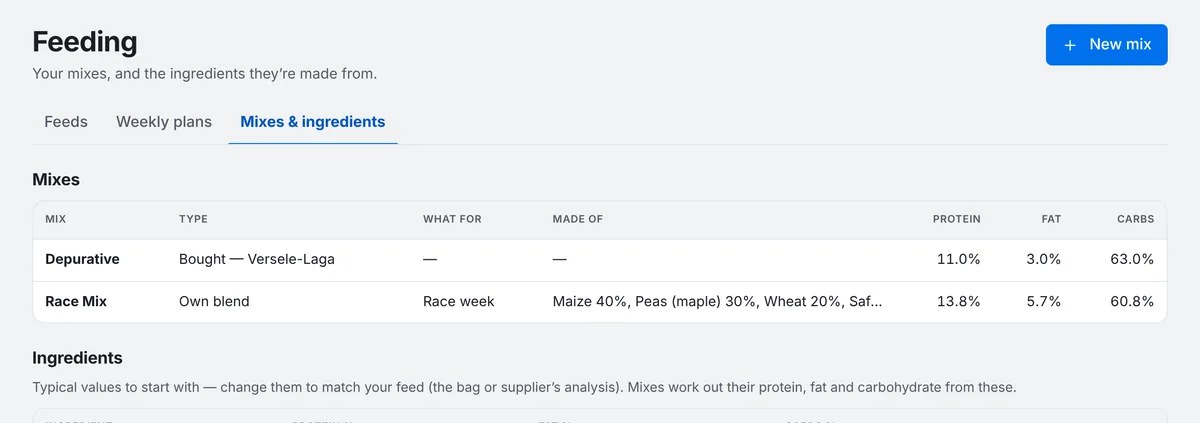
Common grains already have typical protein, fat and carbohydrate values, so your blends' nutrition is worked out for you. Change an ingredient's values to match your supplier's analysis if you have it.
2. Make a weekly plan (optional)
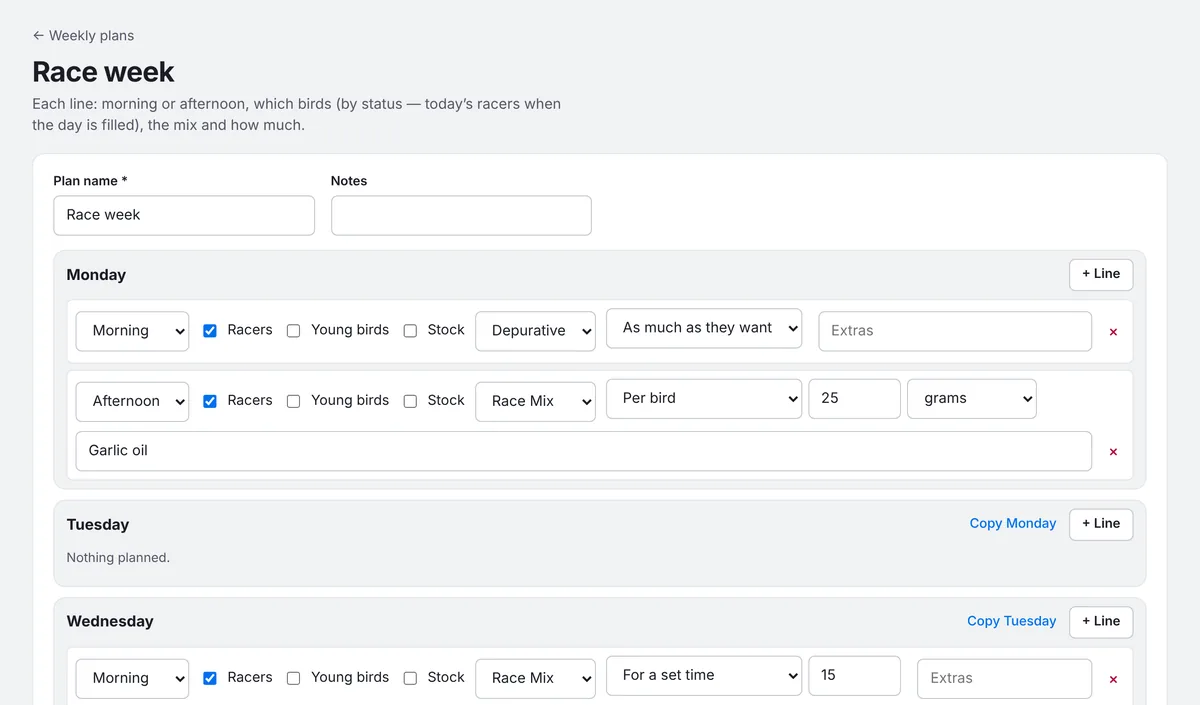
- Open the Weekly plans tab and press New plan.
- Give it a name, such as "Race week".
- For each day, press + Line and choose morning or afternoon, which birds by status (racers, young birds, stock), the mix and how much. Use Copy to repeat the day before.
- Press Save new plan.
3. Record a feed
The quickest way is from a plan: on the Feeds tab, press Fill from plan, choose the plan and the day, and press Fill this day. It adds that day's feeds with the birds that have each line's status now, and skips anything already filled. Edit any feed afterwards for birds that were fed differently.
To record a feed yourself:
- Press Add a feed.
- Check the date and choose Morning or Afternoon, with an exact time if you like.
- Choose the Mix. Its protein, fat and carbohydrate show underneath.
- Choose How much: per bird, for the whole group, as much as they want, until they go to water, or for a set time. Amounts can be in grams, ounces, tablespoons or scoops.
- Add any extras given with the feed, such as garlic oil or brewer's yeast.
- Pick the birds (Same birds as last feed saves time), then press Save feed.
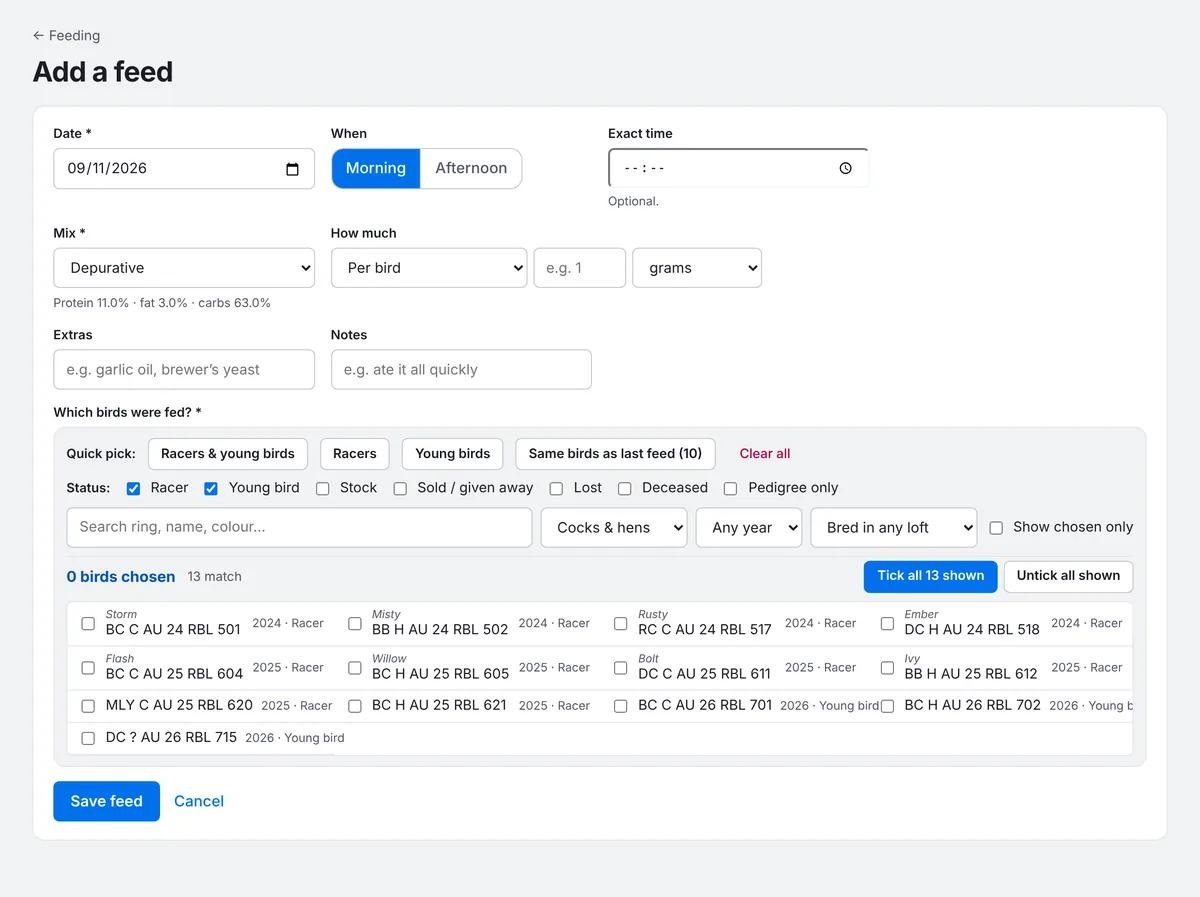
You can give the same bird two feeds in one session, for example a top-up after a hard toss. Supplement courses are best recorded under Health.
The Feeding page's More menu also has Repeat last feed. Each bird's Feeding tab shows what it has had.
Racers had Race Mix this morning, 25 grams each, with garlic oil
sets up the feed for you to check and save.