
Sharing your loft and publishing your loft page
Your loft is private until you choose otherwise. You can share it with a mate or family member, and you can publish a public page showing only the birds you pick.
Share your loft with a mate
- Open the account menu (your initials, top right) and choose Account & loft sharing.
- Under Share my loft, enter their email address.
- Choose the access: View only, or Can edit to let them add birds, results and records.
- Press Share my loft.
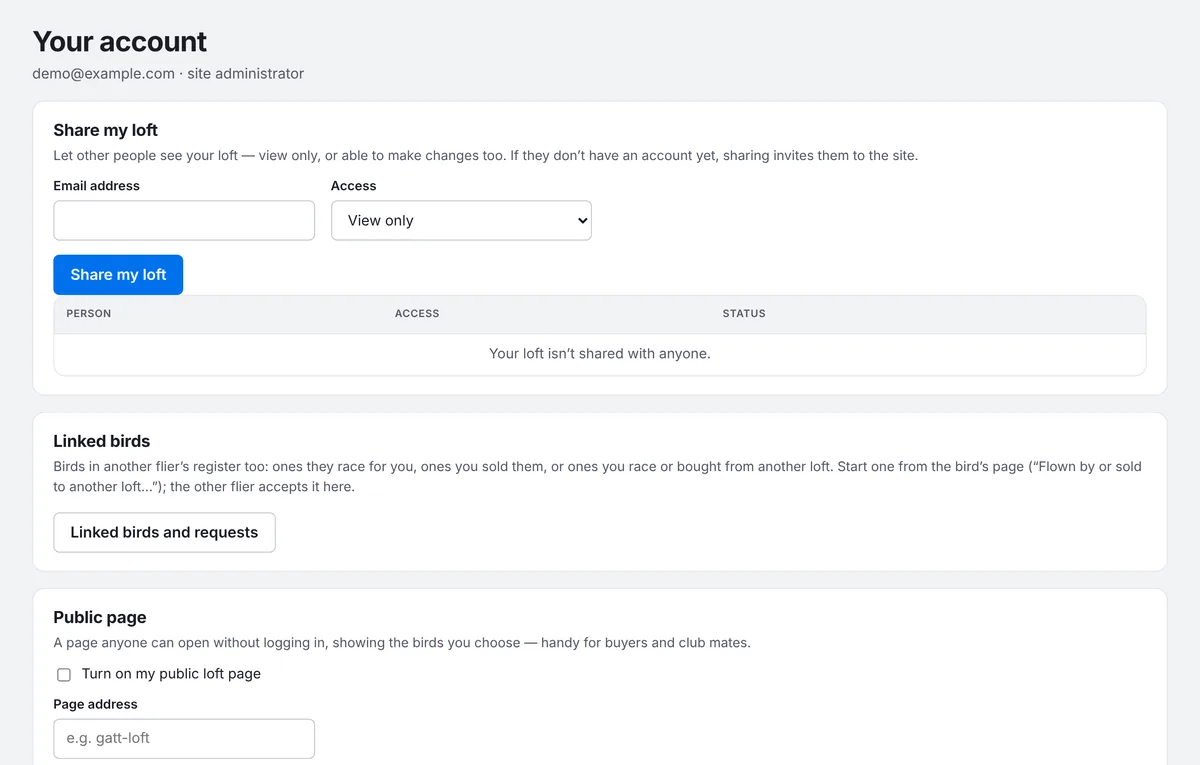
If they already have an account, they'll see your loft next time they open PLMS. If they don't, you'll get an invite link to send them. It works once, only for that email, for 30 days, and it's only shown to you once, so copy it straight away. When they join, they also get their own private register for their birds.
You can change someone's access or stop sharing from the same list at any time.
Opening a loft shared with you
When someone shares their loft with you, a loft picker appears at the top of the page. Choose their loft to switch to it. A banner reminds you whose loft you're in and whether you can make changes, with Back to my loft to switch back. Lofts shared with you are also listed on your Account page.
Publish your loft page
Your public loft page can be opened by anyone without signing in, which is handy for buyers and club mates. It only lists birds you've chosen, and never shows your notes or email address.
- On Account & loft sharing, under Public page, tick Turn on my public loft page.
- Choose a Page address (letters, numbers and dashes), or leave it blank to use your loft name. Press Save.
- Choose which birds to show, in any of these ways:
- tick Show on the public page when adding or editing a bird
- on the Birds list, tick the birds you want and choose Show on public page
- filter the Birds list, then open More and choose Show listed birds on public page
Each public bird gets its own page with its details, results and pedigree. Use More → Open public page on the Birds list to see what visitors see, and send someone a link to the whole page or to a single bird.
Birds in another flier's loft
If a bird is raced for you by a mate, or you sold it or bought it from another loft, open the bird and choose Flown by or sold to another loft…. The other flier accepts the request under Linked birds on their Account page, and the bird is then linked between your two registers.