
Using the assistant
The assistant lets you record things by talking or typing in plain words, the way you'd tell a mate. It sets up the record for you, and nothing is saved until you check it and press Save.
Open the assistant
Press Ask the assistant at the top of any page. A panel opens with some examples to get you started. Tap an example to try it.
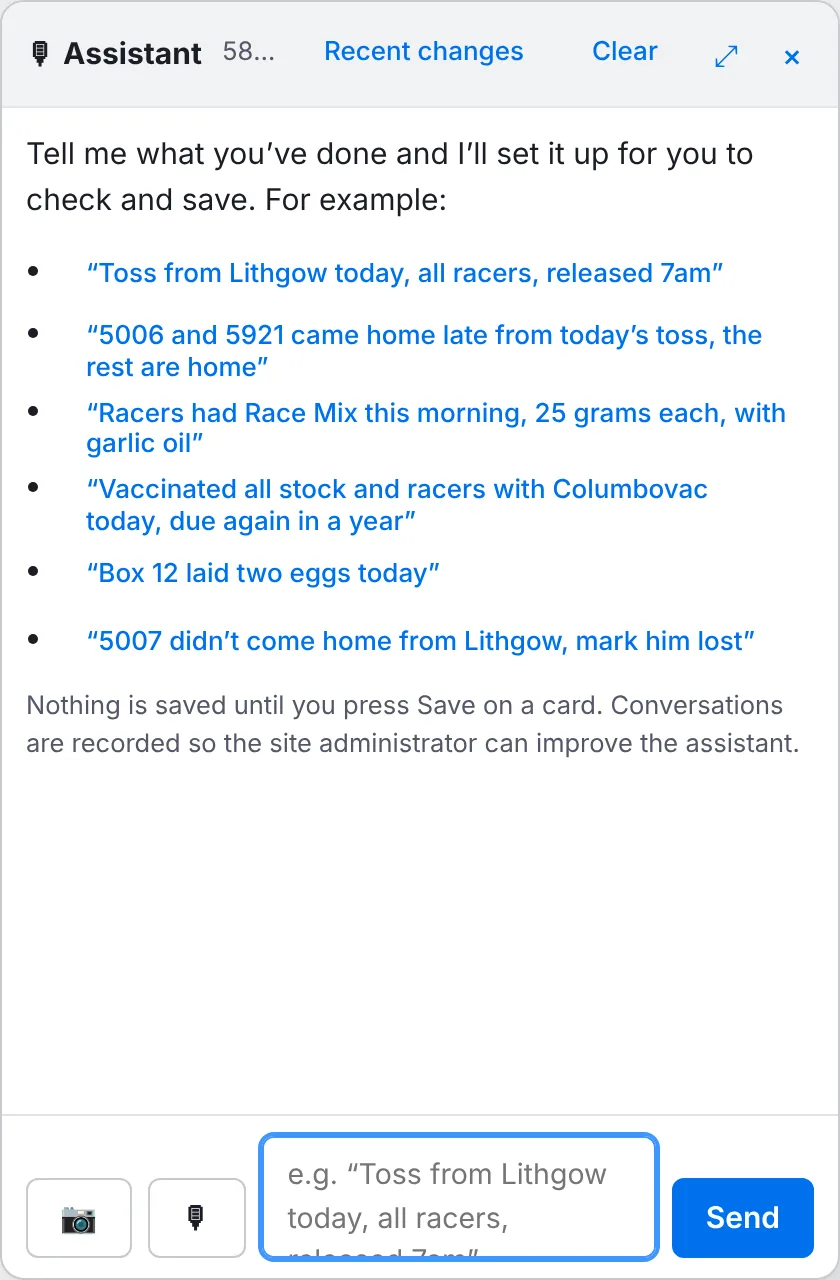
Talk or type
- Type in the box at the bottom and press Send, or tap the microphone, speak, and tap it again to send. (Voice needs Chrome, Edge or Safari.)
- The assistant replies with a card showing exactly what it will record: the birds, dates, times and amounts.
- Check the card. If it's right, press Save. If not, press Don't save, or just tell it what to change.
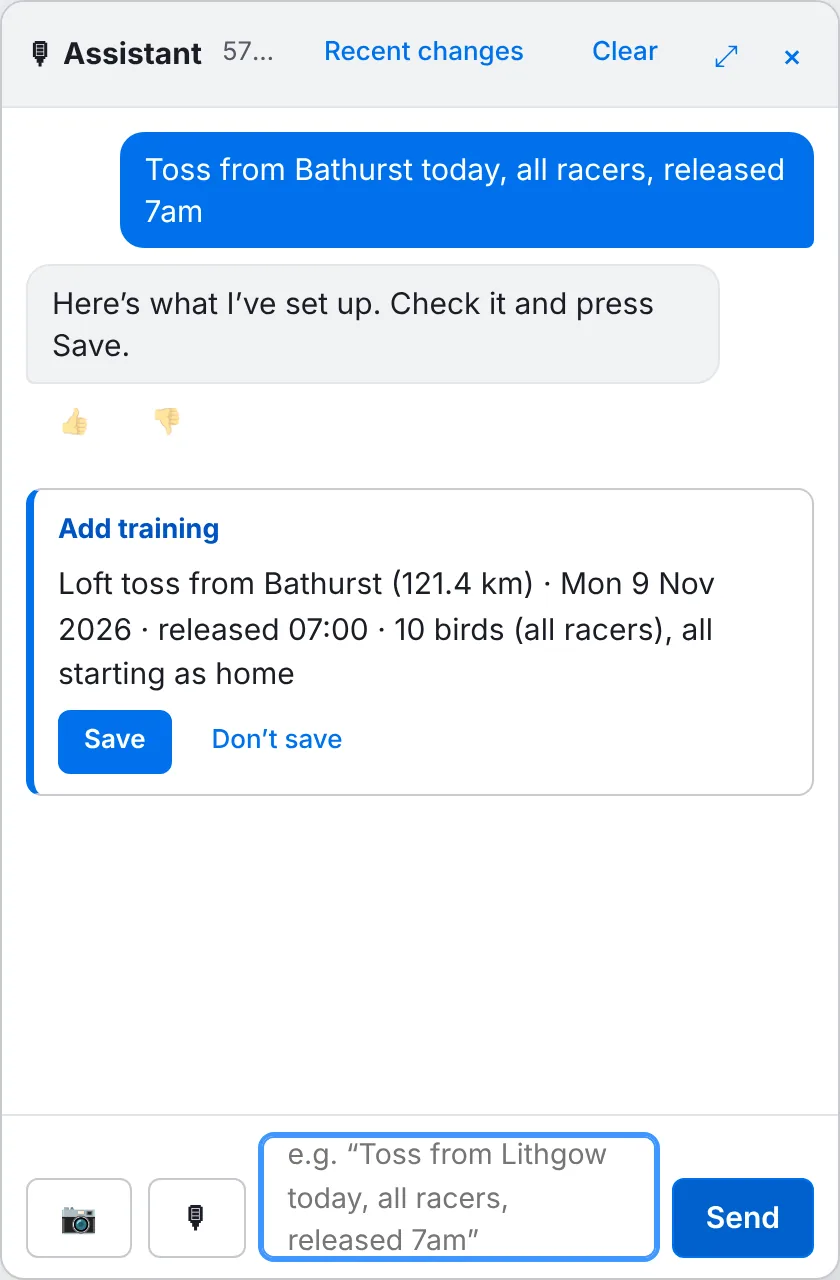
Things you can say
| To record | Try saying |
|---|---|
| A toss | “Club tossed the race team from Lithgow at 9am. All are home.” |
| Arrivals | “5006 and 5921 came home late from today's toss, the rest are home” |
| Loft training | “Loft flew the young birds for an hour this morning” |
| A feed | “Racers had Race Mix this morning, 25 grams each, with garlic oil” |
| A health record | “Vaccinated all stock and racers with Columbovac today, due again in a year” |
| Eggs laid | “Box 12 laid two eggs today” |
| A lost bird | “5007 didn't come home from Lithgow, mark him lost” |
You can also ask questions, such as When did 5006 last train?
, What's due to hatch this week?
or Which pairs bred the best racers?
Use just the last digits of a ring ("5006"); if more than one bird matches, the assistant asks which you mean. You can also use nest box numbers ("box 12") and the names of your saved toss points and feed mixes. Say "today", "this morning" or "Saturday" and it works out the date.
Read a race sheet from a photo
Press the camera button in the assistant and choose a photo of your clock's basketing list or clocking list. Reading the sheet takes 20 to 30 seconds. The assistant then shows the birds and times it found, with anything it couldn't read clearly marked, for you to check before saving. See Entering a race.
Undoing a mistake
Recent changes at the top of the assistant lists what's been saved with it in your loft. To change or delete a saved record, open it from its page (for example the toss on the Training page) and edit it there.
Conversations with the assistant are recorded so we can improve it. It only works with your loft's records and pigeon keeping.