
Ringing youngsters and linking them to their eggs
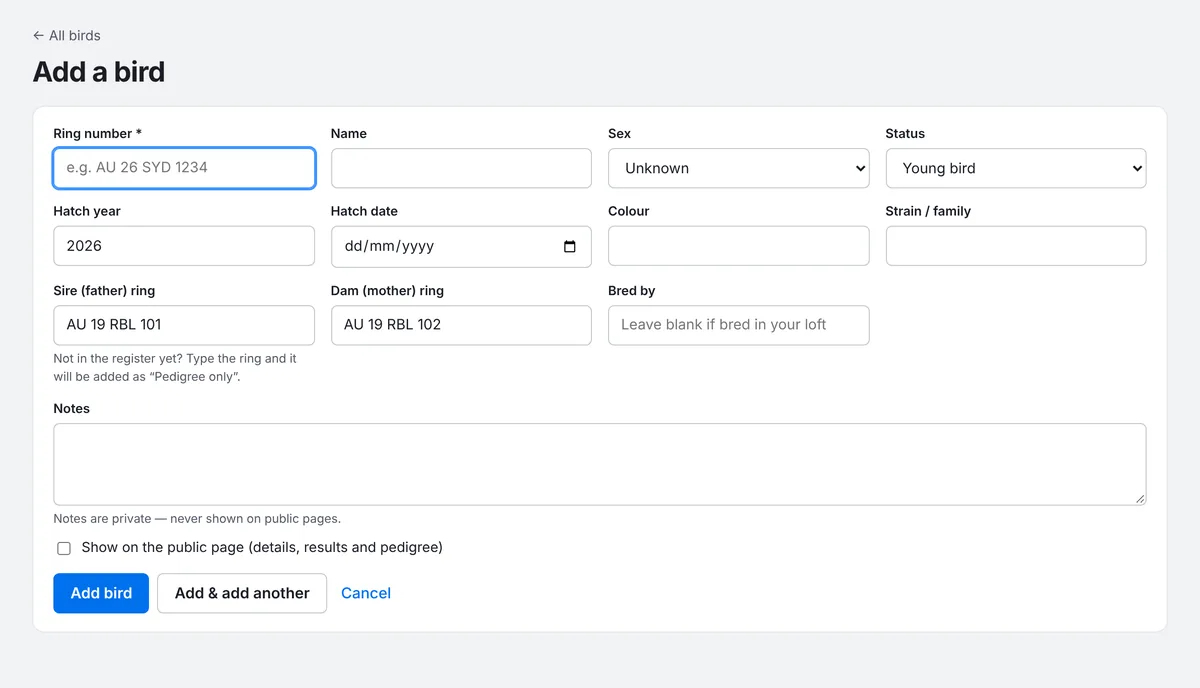
When you ring a youngster, add it from its parents' pairing. Its sire, dam and hatch year are filled in for you, so its pedigree is right from day one.
Add the youngster
- Open the pairing (Pairings, then click the pair).
- Press Add youngster at the top of the page.
- The form opens with the Sire, Dam, Hatch year and a status of Young bird already filled in. Type the Ring number, and the sex and colour if you know them.
- Press Add bird, or Add & add another for its nest mate.
Link it to its egg
- On the pairing's Nest record tab, find the round and the egg it hatched from.
- Make sure the egg is set to Hatched. A third list appears beside it.
- Choose Weaned — followed by the youngster's ring. Only this season's youngsters from this pair are listed.
- Press Save round.
Linking eggs to youngsters isn't required, but it means PLMS can tell you exactly which round and egg each racer came from. If you don't link it, choose Weaned (not linked) so the count is still right.
See every youngster from a pair
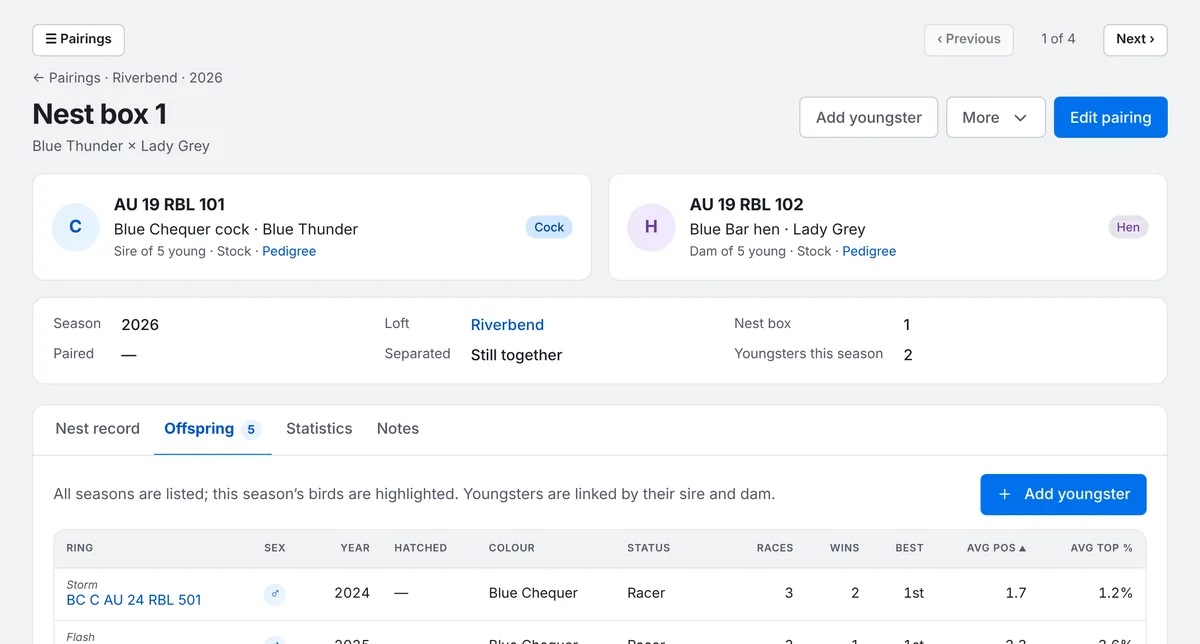
The pairing's Offspring tab lists every youngster this cock and hen have bred together, across all seasons, with how each one has raced. This season's birds are highlighted.
Rung a blue chequer cock from box 3, AU 26 RBL 720
sets up the youngster with its parents from that nest box, ready to check and save.
A youngster always belongs to its real parents, even if another pair sat the egg. Add it from the real parents' pairing.