
Pairings and nest records
A pairing is one cock and one hen for a season. Each pairing has a nest record: the rounds they laid, and what happened to every egg. Over time that tells you which stock birds are doing their duties and producing champions.
Add a pairing
- Go to Pairings and press Add pairing. You can also open a cock or hen and press Pair up, which fills that bird in for you.
- Type the Cock ring and Hen ring. Both birds must already be in your register.
- Check the Season, then add the Loft and Nest box. A plain number like 4 shows as "Box 4".
- Add the date they were paired if you like, then press Add pairing.
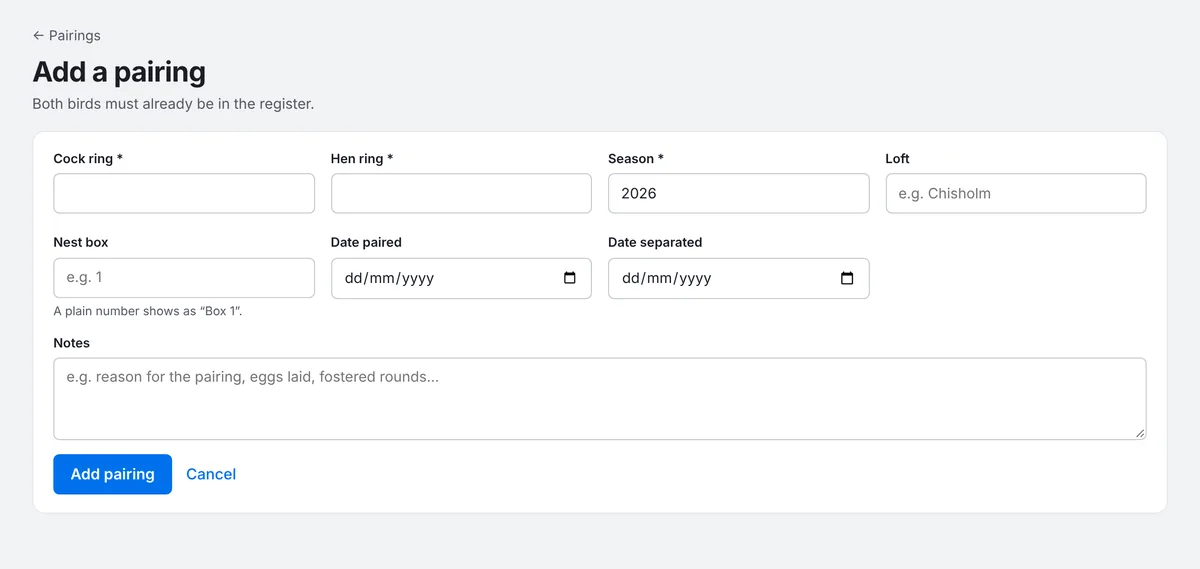
Use the same loft names each time (for example "Chisholm" or "Hammers"). The Pairings and Birds lists can then be filtered by loft and nest box.
Record a round
When the hen lays, open the pairing. The Nest record tab is where each round lives.
- Press + Add a round. A new round starts with two eggs, each "Not known yet" and "Still sitting".
- Enter the First egg date. PLMS shows when to candle (about 7 days) and when they're due to hatch (about 19 days).
- For each egg, choose whether it's Fertile or Clear (infertile) once you've candled, then what happened: Still sitting, Hatched, Died in the egg, Broken, Stopped sitting or Removed by you.
- Use + Egg for a third egg, or the × beside an egg to remove it. If the hen didn't lay at all, tick Hen didn't lay.
- Press Save round. The button says Saved when everything's up to date.
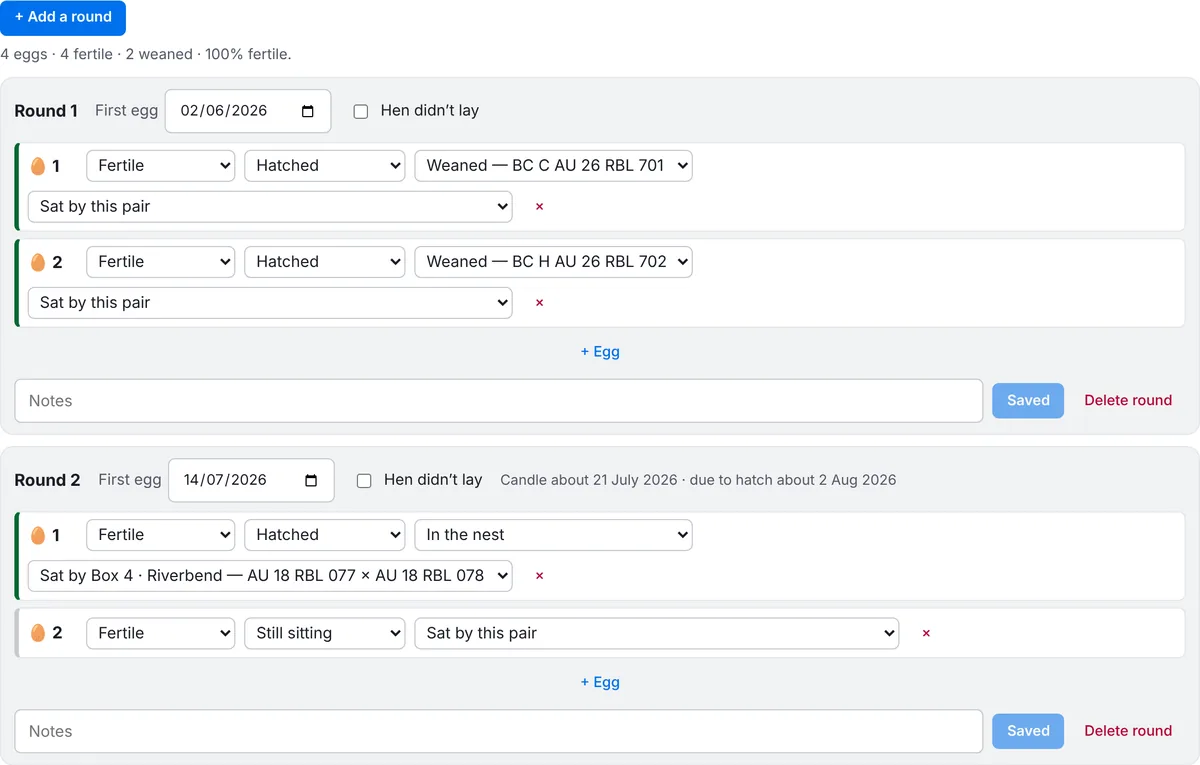
Come back and update the round as things happen: candle, hatch, wean. You don't need to fill everything in at once.
Fostered eggs
If you move an egg to another pair to sit, change that egg's Sat by this pair to the foster pair (for example "Sat by Box 4"). The egg still counts towards the real parents' fertility, while broken eggs and stopped sitting count against the pair that sat them. The foster pair's nest record lists the eggs it sat for others.
When hatched eggs become youngsters
When an egg hatches, a third choice appears: In the nest, Died as a squeaker or Weaned. Once you've rung the youngster and added it to your register, pick it from that list to link the egg to the bird. Ringing youngsters shows how.
Warnings
PLMS keeps a breeding record for every stock bird, built from its nest records, and flags three problems:
- a cock under 50% fertile, once four or more of his eggs are known
- a hen that didn't lay
- a hen that mostly lays single eggs
Warnings show on the pairing and on the bird's Breeding tab. On the Pairings list, open Filters and choose Only pairs with a warning to see them all.
Box 12 laid two eggs today
adds a round to that pairing with today's date and two eggs, ready for you to check and save. See Using the assistant.